

Add a team member
Invite the people who work with you. Choose if customers can book them.
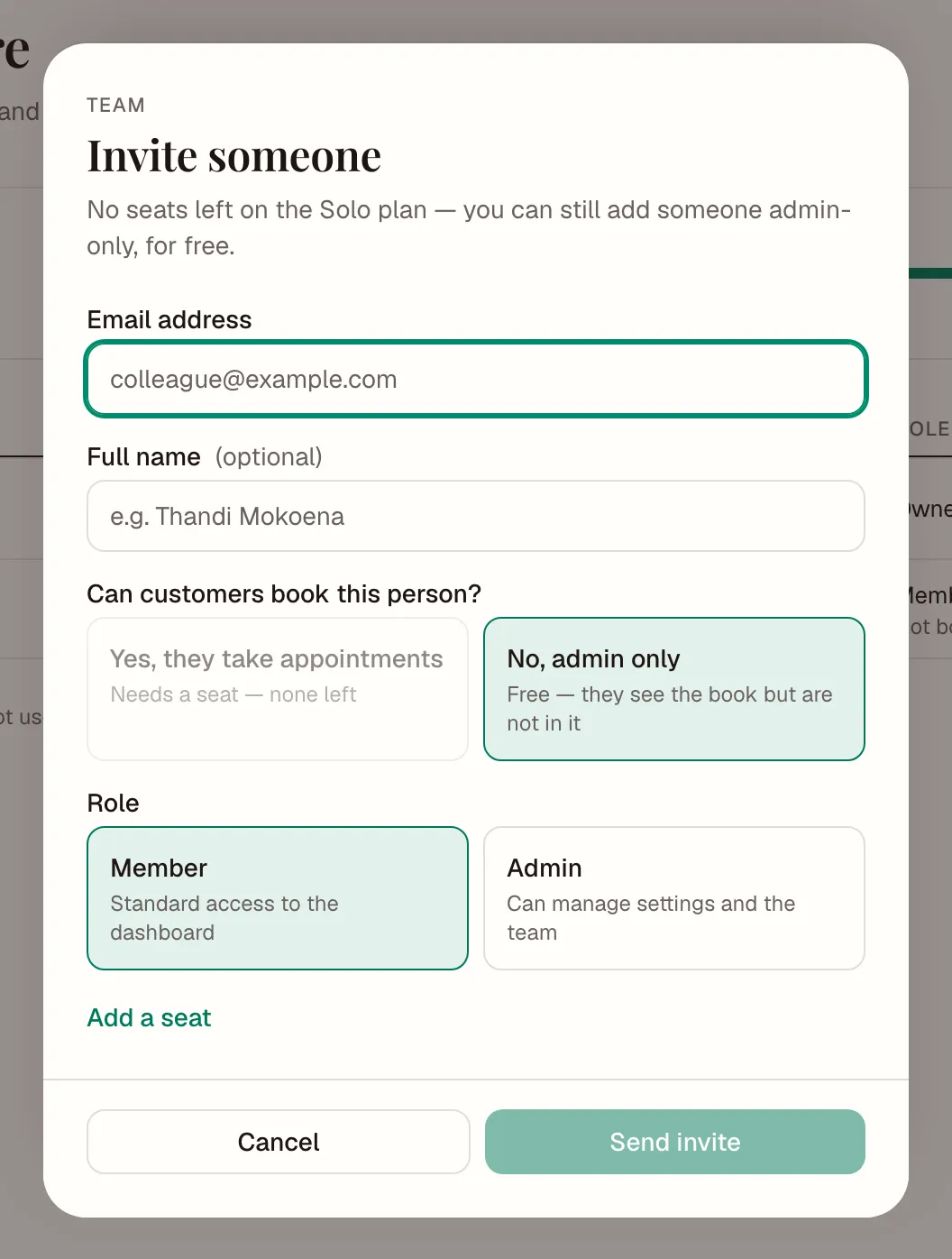
- In the sidebar, tap Team, then Invite someone.
- Type their Email address and, if you like, their name.
- Choose Can customers book this person?
- Yes, they take appointments. They show on your page. This uses a seat.
- No, admin only. They can see the book, but customers can't book them. This is free.
- Choose a Role:
- Admin can manage settings and the team.
- Member can use the dashboard.
- Tap Send invite.
They get an email. The invite lasts 7 days. If it runs out, open the menu on their row and tap Resend invite.
Change or remove someone
Open the menu on their row. You can:
- make them an admin or a member
- take them off the booking page, or put them back on it
- remove them from the team
Removing someone takes away their access straight away. You can invite them again later.
Only the owner and admins can invite people. Out of seats? See What counts as a seat.