

Add your services
Your services are what customers book. Each one has a name, a time and a price.
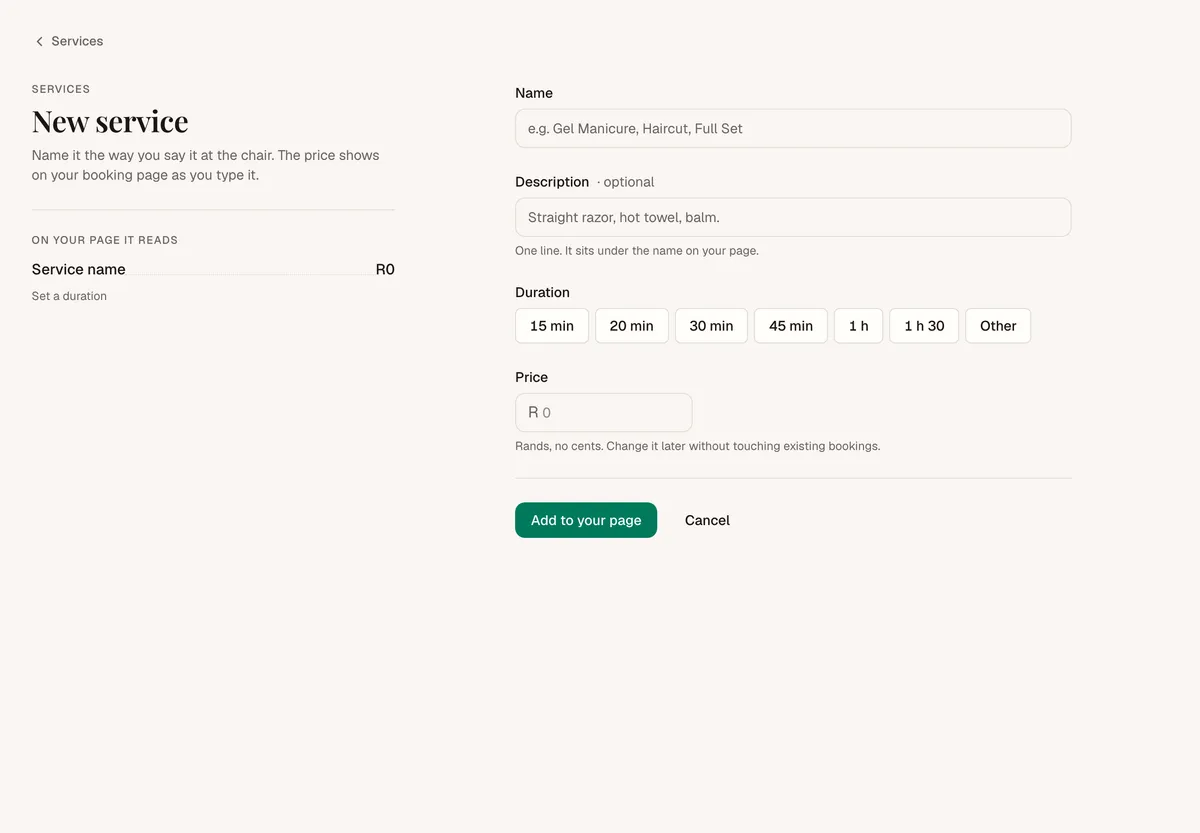
- In the sidebar, tap Services, then Add a service.
- Fill in:
- Name, for example "Gel overlay".
- Description (optional): one line. It sits under the name on your page.
- Duration: pick 15 min up to 1 h 30, or Other for your own time (in steps of 5 minutes).
- Price: in rands, no cents.
- Check how it reads under On your page it reads, then tap Add to your page.
Change a service
Tap Edit on the service, change it and tap Save changes. The change counts for new bookings, not ones already on the book.
Take a service off your page
Use the switch on the service's row. Hidden services show Hidden in your list, and customers can't book them. Switch it back on any time.
You can't delete a service. Hide it instead.
Good to know
- Services show in A to Z order on your page.
- Anyone on your team that customers can book can be booked for any service.