

Set your hours and booking rules
Customers can only pick times inside your opening hours.
Opening hours
- In the sidebar, tap Schedule.
- For each day, switch it on and set Opens and Closes. A day that is off reads Closed.
- Tap Save hours.
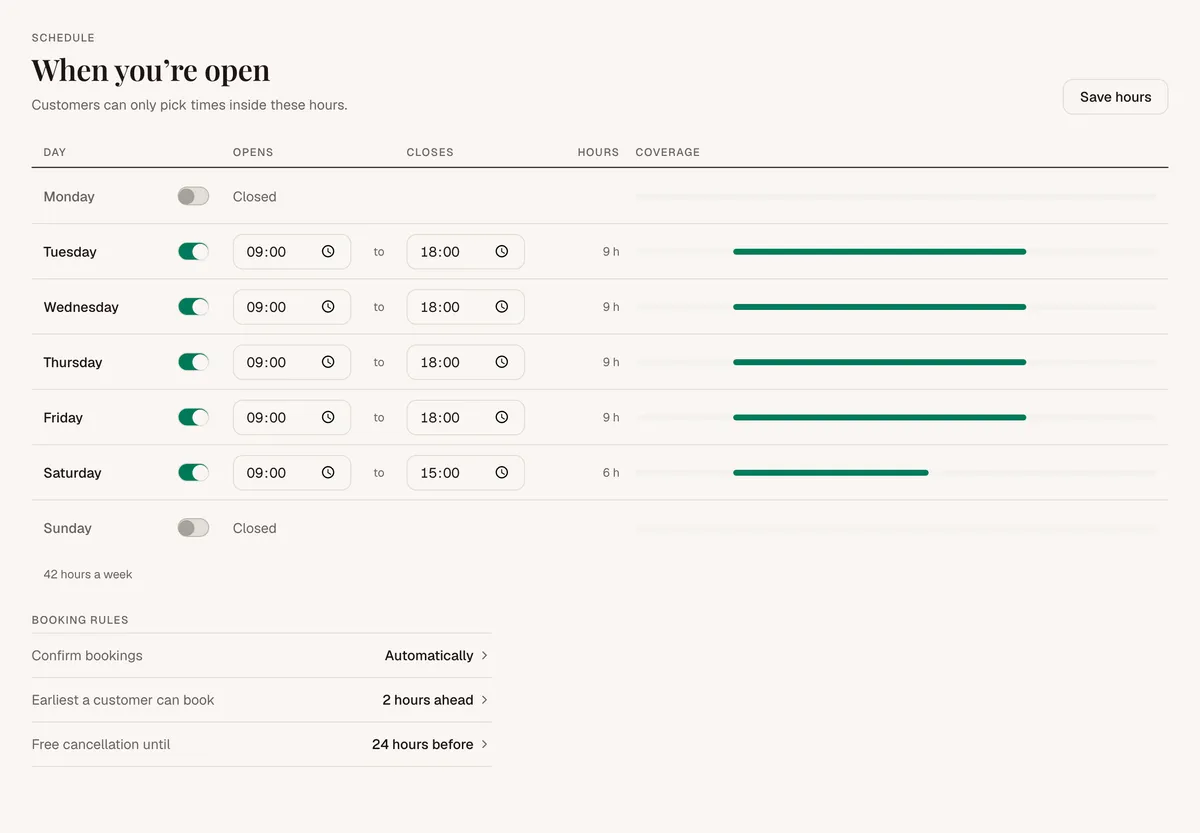
Customers see a free time every 30 minutes inside your hours.
Each day has one block of time. You can't add breaks or days off yet.
When you add a booking yourself, it can go outside your hours. You know when you are open.
Booking rules
Go to Settings, find Booking rules, and tap Edit.
- Confirm bookings. Bookings can confirm themselves, or you can confirm each one yourself. If you confirm by hand, new bookings wait as Pending until you tap Confirm.
- Earliest a customer can book. How much notice you need, from 1 hour to 3 days. The standard is 2 hours.
- Free cancellation until. How long before a booking a customer can cancel without it counting as late, from 1 hour to 2 days. The standard is 24 hours. Customers see this on your page.
A late cancellation still goes through. You see it marked as late.